Firmware Update Issues
Update Paused? The App didn't finish the Firmware update process
Don't worry—your Woojer just needs a quick refresh.
To finish your update, please follow these steps:
Reboot your Woojer (Power off, then back on).
Pair your Woojer Device Manager App to the device.
Retry Update.
Still not working?
If the Firmware update fails again, you may need a Pin Reset (Power Reset for Mat).
For the MAT:
Disconnect the power cable.
Wait for 10 seconds.
Reconnect the MAT to the power cable and power on.
Retry update.
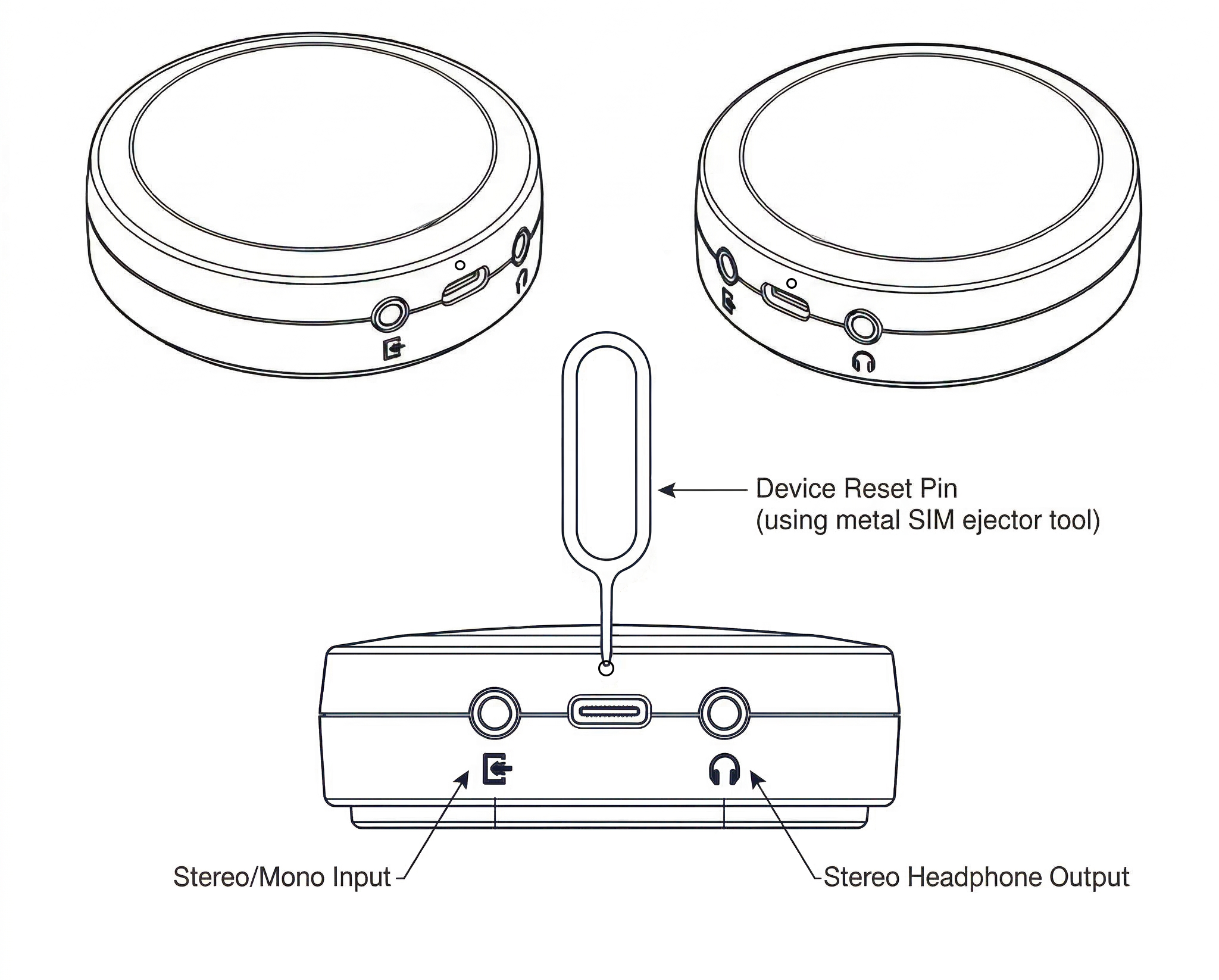
For Vest or Strap - Let's perform Pin Reset:
Disconnect the charging cable.
Locate the small pinhole near the power port.
Gently insert a paperclip/SIM tool for 2 seconds.
Reconnect the charging cable.
Power the device back on and retry the update.
Strap 4 Pin Reset:
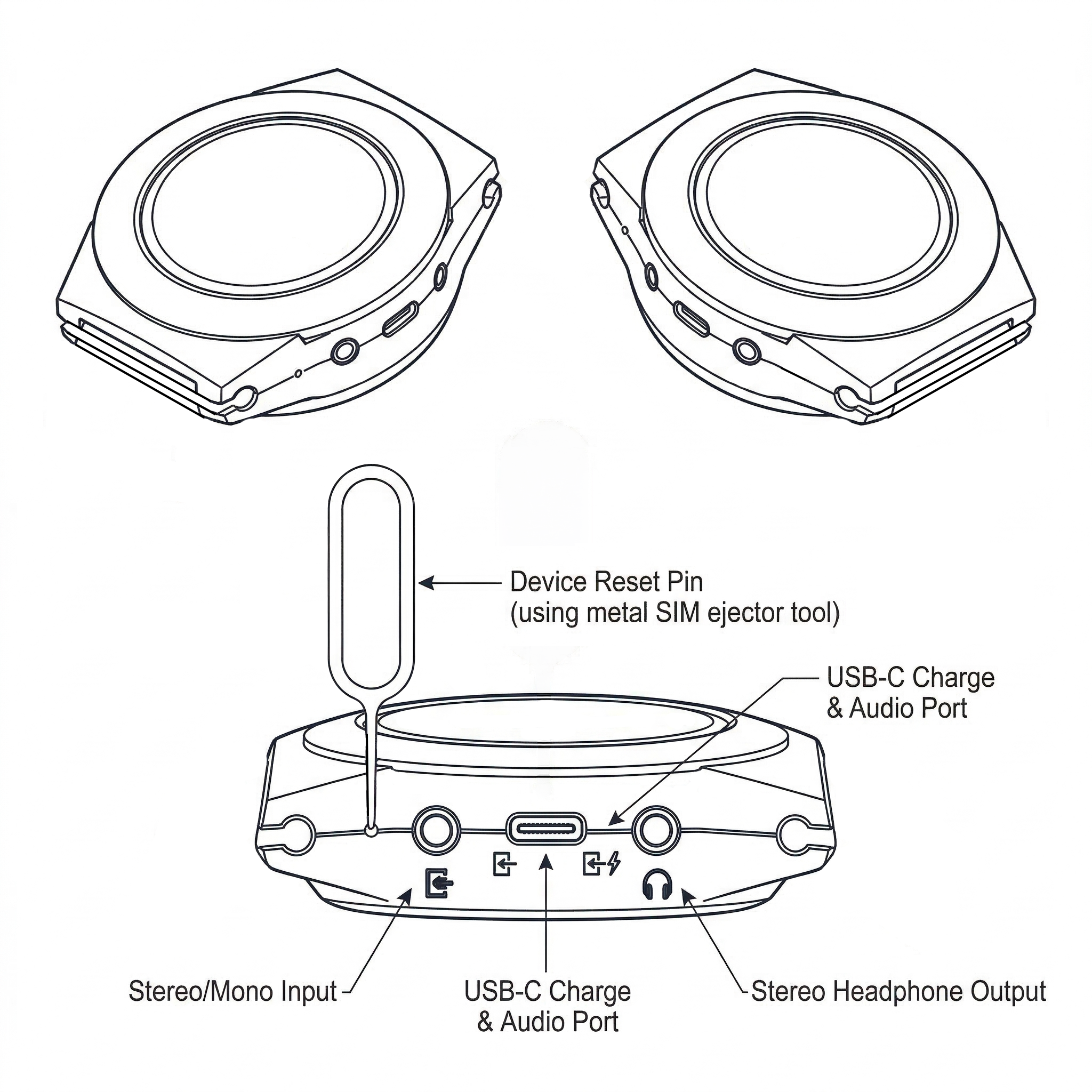
Vest 4 Pin Reset: